Install JSON Server and make API
Looking for new opportunities in mobile app development and trying to enhance my skills in same field.
Here are the topics that we’re going to cover in this article-
Install JSON server.
Make db file and a simple file.
Let’s get started-
Install JSON server- Run command in your command prompt to install json server- npm install -g json-server
Now create a folder with any name for ex- API and open it in VScode. Now, create a file with name db.json.
Run the json server using command— json-server --watch db.json
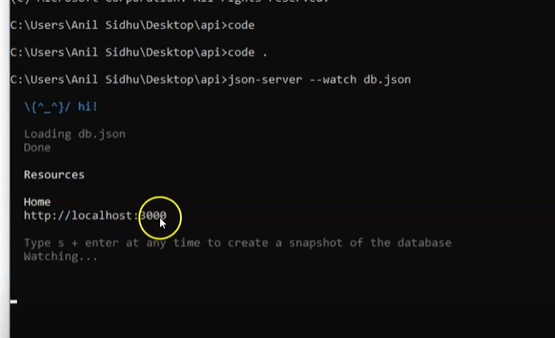
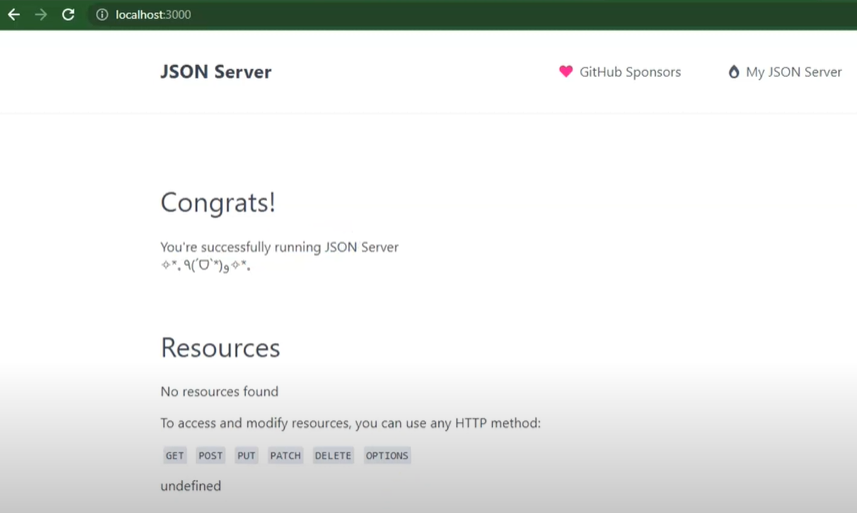
You can verify your path if running correctly - run localhost:3000 in your browser as-
Now, you can create your data in your db.json file to display data on created API url.
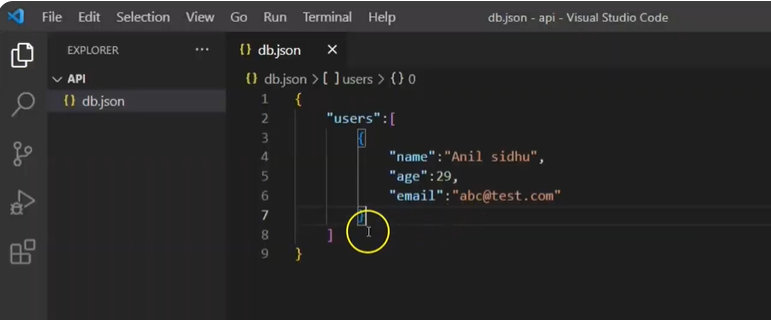
This is how we can install JSON server and create our API for testing purpose. To know more about how to use json server with your system IP. Please check the article- https://install-json-server-for-api-testing.hashnode.dev/json-server-api-with-react-native
Thankyou !!